
Free hotspot maker
Not having an Internet connection is extremely frustrating, but thankfully, there are many tools out there that we can use to share our device’s connections. The Baidu WiFi Hotspot is a WiFi app that allows users to use a desktop computer as a WiFi hotspot. The connection has no data sharing limitations, and you will be able to connect any device to your computer.
Top Recommended Alternative

Simple and easy internet connection
Baidu WiFi Hotspot is a lightweight networking tool. The size of the file is minuscule, and its download doesn’t come with any addition. It has a clean and simple interface. It also does not provide much beyond a few basic settings, so technically challenged individuals will not a hard time using it.
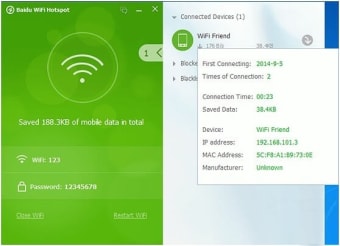
Upon launching, it automatically creates a WiFi hotspot connection. Once the hotspot has been created, you can connect your devices to it. As mentioned, there is no limit to data sharing. You can connect your laptops and mobile devices to piggy bank off of the computer’s WiFi connection. The app displays all the devices currently connected to the hotspot. More, it lets you create a password to the WiFi so that you can control which devices can connect.
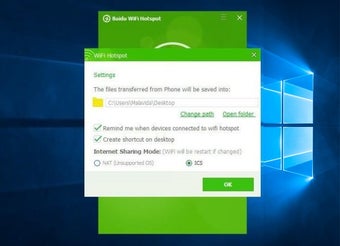
Aside from turning your computer into a hotspot, Baidu WiFi Hotspot also has file transfer capabilities. You can send files from your computer to your mobile phone, or vice versa. All files transferred are efficiently organized into one specific destination, which you can modify from the app’s setting menu.
Safe yet limited
In terms of safety, users will be happy to know that Baidu WiFi Hotspot is a perfectly safe app. The developers have implemented several safety features into the app. For one, it allows you to create a password to your hotspot. On top of that, it also allows you to block any device from accessing your internet. You can create a blacklist, and every device included in the list will never be able to re-access the network.
The app also upholds security for your computer as it does not compromise your hard drive or data. It will not slow down or even affect your computer’s performance. More, it is optimized to run on old computers, so it will work even in the oldest system.
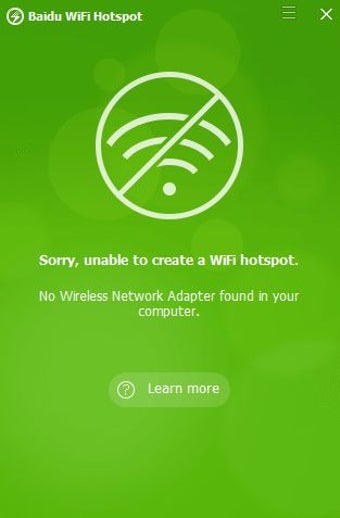
However, while Baidu WiFi Hotspot shines with its free price and simplicity, it is limited in its utility. For you to create a hotspot, you must be connected by wire cable to the modem. The app cannot extend a mobile connection, limiting its usefulness. The app also has no capability of tracking the internet history of the devices connected to it.
Another issue you might encounter is the problematic help button. The website that contains the help document does not work properly. Oftentimes, it does not even open. However, when compared to other networking apps, such as Connectivity and My Public WiFi Hotspot, Baidu WiFi Hotspot has more edge when it comes to overall utility and performance.
Get instant connectivity
Overall, Baidu WiFi Hotspot is an excellent option if you are looking for a hotspot creator. It is simple and easy to use. Add in its decent speed, and you will have a nice home network. And while it has a few limitations, it has no apparent bugs that will dissuade you from using it.


.png)